

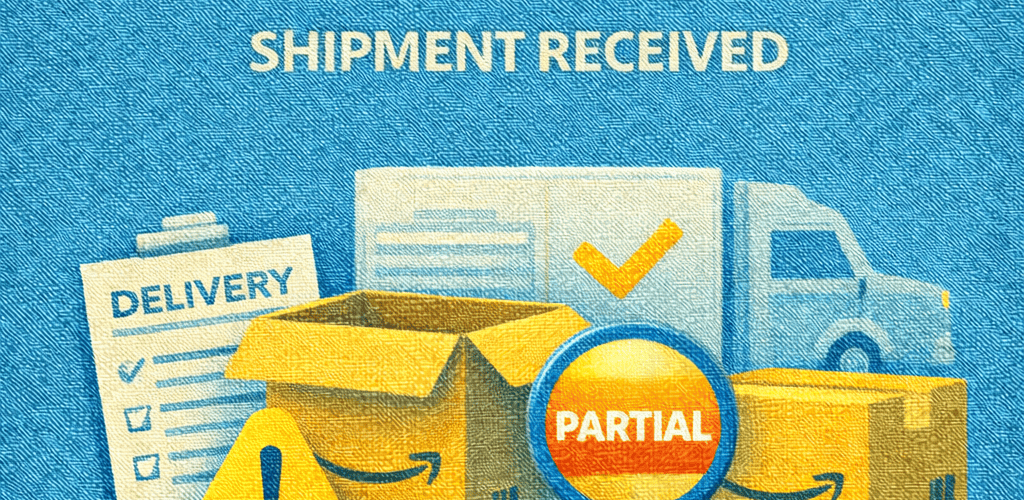
When you ship your inventory to Amazon FBA, your expectation is simple: all units should be received, checked in, and made available for sale as quickly as possible. However, many sellers open Seller Central only to find a confusing and frustrating status: “Partial Shipment Received.” This means Amazon has physically received your shipment, but only a portion of the units has been processed and added to your available inventory, while the remaining units are still in transit within Amazon’s network, waiting in the receiving queue, or under investigation.
For Amazon sellers, this situation can be stressful because it directly affects sales velocity, Buy Box eligibility, keyword ranking, and cash flow. Inventory that is not fully received cannot generate revenue, even though you have already paid for manufacturing and shipping. Understanding how Amazon’s inbound system works and why partial receiving happens is essential for managing your business smoothly and avoiding long-term losses.
What Does “Partial Shipment Received” Mean in Amazon FBA?
A partial shipment received status indicates that Amazon’s fulfillment center has confirmed delivery of your shipment, but their internal scanning and counting process has only been completed for part of the units. Amazon does not make inventory available for sale until each unit is scanned, verified, and assigned a storage location. If some cartons are still waiting to be opened, scanned, or transferred to another department, those units will not appear as available, even though they are physically inside the fulfillment center.
In many cases, the missing units are not actually lost. They may be sitting in a receiving queue, undergoing manual verification due to a barcode issue, or being transferred to another fulfillment center as part of Amazon’s internal inventory balancing process. The system updates gradually, which is why sellers often see their received quantity increase over time without any action.
Why Amazon FBA Sometimes Receives Only Part of a Shipment
Fulfillment Center Splits and Internal Transfers
Amazon frequently divides shipments and sends different cartons to multiple fulfillment centers. Even when you create one shipment plan, your boxes may be routed to separate locations based on demand forecasting and storage capacity. Some fulfillment centers process inbound shipments faster than others. As a result, one part of your inventory may be checked in and available for sale, while the rest is still in transit between facilities or waiting to be unloaded and scanned.
Receiving Backlogs and Peak Season Delays
During high-volume periods such as Prime Day, Black Friday, Cyber Monday, and the Q4 holiday season, Amazon fulfillment centers operate under extreme workload. Thousands of inbound shipments arrive daily, creating backlogs in unloading, scanning, and shelving. Even if your carrier shows the shipment as delivered, Amazon’s internal processing may take several days or even weeks. During this time, only a portion of your units may appear as received, creating the partial shipment status.
Labeling and Barcode Problems
Incorrect, damaged, or poorly placed FNSKU labels are one of the most common causes of partial receiving. If a barcode cannot be scanned automatically, Amazon staff must manually identify the product, match it with the shipment, and relabel it. This manual process significantly slows down check-in and often results in only part of the shipment being processed while the rest is held for verification.
Box Content Information Mismatch
Amazon relies heavily on accurate box content information. If the quantity declared in your shipment plan does not match what is found in the cartons, Amazon may pause the receiving process to investigate. This can happen if units are missing from a box, mixed with other SKUs, or packed differently than declared. Until the discrepancy is resolved, only the verified portion of the shipment is checked in.
Carrier and Transportation Issues
Sometimes the problem originates before the shipment even reaches Amazon. Carriers may deliver cartons in multiple trips, misroute boxes, or separate pallets. In such cases, Amazon checks in only what physically arrives at the fulfillment center. The remaining cartons may still be in transit or require tracing, which results in a partial received status.
How Partial Shipment Receiving Affects Your Amazon Business
Partial receiving can seriously disrupt your operations. When only some units are available for sale, your stock level drops, increasing the risk of going out of stock. This can lead to loss of Buy Box, reduced conversion rates, and a decline in keyword rankings due to lower sales velocity. From a financial perspective, your money remains tied up in inventory that cannot be sold, affecting your cash flow and your ability to reorder or launch new products. Over time, repeated delays can weaken your overall account performance and planning accuracy.
How to Resolve an Amazon FBA Partial Shipment
Allow the Standard Receiving Time
Amazon requires a standard processing window after delivery. For small parcel shipments, this is typically three to seven days, while for LTL and full truckload shipments, it can be ten to fourteen days. During this time, partial receiving is normal, and the remaining units often appear automatically once scanning is completed.
Reconcile the Shipment
If the shipment still shows missing units after the waiting period, you should initiate a reconciliation in Seller Central. This prompts Amazon to compare the received quantities with the shipment plan and perform an internal recount. In many cases, the remaining units are located and added to your inventory at this stage.
Open an Inbound Shipment Investigation
When reconciliation does not resolve the issue, the next step is to contact Seller Support and request an inbound shipment investigation. You should provide all relevant documents, including the shipment ID, tracking numbers, proof of delivery, packing lists, invoices, and clear carton label images. Strong documentation helps Amazon trace the missing units within their network and speeds up resolution.
Request Reimbursement for Lost Inventory
If Amazon confirms that some units are permanently lost, they will issue a reimbursement based on your product’s average selling price, minus applicable fees. To ensure accurate compensation, your cost of goods and product details should be correctly entered in your account settings.
How to Prevent Partial Shipments in the Future
Prevention starts with proper preparation. High-quality FNSKU labels, correct carton labels, and accurate box content information reduce the need for manual processing. Using Amazon-partnered carriers improves tracking and accountability. Sending well-organized shipments in manageable quantities, rather than very large bulk shipments, also reduces the risk of delays and misplacement.
Conclusion
The “Amazon FBA Partial Shipment Received” status is a common challenge for sellers, especially during busy seasons and high-volume operations. While it can be alarming, it usually results from processing delays, labeling issues, or transportation factors rather than permanent inventory loss. By understanding how Amazon’s inbound system works, monitoring your shipment status carefully, maintaining accurate documentation, and following best practices in packaging and labeling, you can resolve partial shipments efficiently and minimize their impact on your sales and cash flow.