

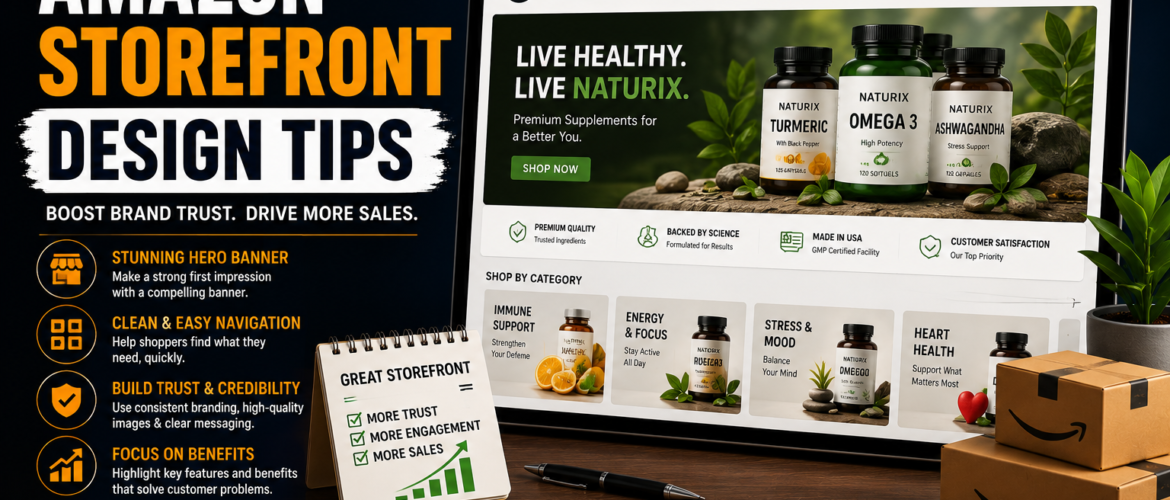
In today’s competitive ecommerce environment, simply listing products on Amazon is no longer enough to build a successful brand. Customers are overwhelmed with choices, and sellers must find new ways to stand out, build trust, and increase conversions.
One of the most powerful tools available for modern Amazon sellers is the Amazon Storefront.
A professionally designed Amazon storefront can transform your brand from a basic marketplace seller into a premium ecommerce brand. It allows customers to explore your products in a branded environment, improves shopping experience, increases customer trust, and often leads to higher sales and better customer retention.
However, many sellers make the mistake of creating a storefront without properly optimizing its design, structure, and user experience. A poorly designed storefront can confuse customers, reduce engagement, and negatively impact conversions.
This detailed guide explains the best Amazon storefront design tips, optimization strategies, common mistakes, and advanced techniques that successful brands use to maximize performance.
What Is an Amazon Storefront?
An Amazon Storefront, also known as an Amazon Brand Store, is a customizable digital storefront available to sellers enrolled in Amazon Brand Registry.
It works like a mini ecommerce website inside Amazon where brands can:
- Showcase their full product catalog
- Organize products into categories
- Display custom banners and videos
- Share their brand story
- Create a premium shopping experience
- Drive traffic from Amazon PPC campaigns
Instead of sending shoppers to a single product listing, storefronts allow brands to present a complete brand experience.
This is especially important for:
- Private label brands
- Multi-product brands
- Lifestyle brands
- Premium product companies
- Brands running Sponsored Brand Ads
Why Amazon Storefront Design Is Important
Many sellers underestimate how important storefront design really is.
Customers form opinions within seconds. If your storefront looks cluttered, outdated, or confusing, customers may leave immediately—even if your products are excellent.
A well-designed storefront helps build confidence and guides shoppers toward making purchasing decisions.
Benefits of a Professional Amazon Storefront
1. Builds Brand Trust
Professional design creates credibility.
Customers are more likely to trust:
- Clean layouts
- High-quality images
- Organized navigation
- Consistent branding
A polished storefront makes your business appear larger and more established.
2. Increases Conversion Rates
Good storefront design improves user experience.
When customers can:
- Find products quickly
- Understand benefits easily
- Browse comfortably
They are more likely to purchase.
Even small design improvements can significantly impact conversion rates.
3. Increases Average Order Value
Storefronts encourage shoppers to browse multiple products instead of viewing only one listing.
This helps brands:
- Cross-sell related products
- Promote bundles
- Increase cart size
- Introduce complementary items
Many successful brands use storefronts specifically to improve average order value.
4. Improves Amazon PPC Performance
Sponsored Brand campaigns can send traffic directly to storefronts instead of individual listings.
This often leads to:
- Better engagement
- Lower bounce rates
- More product discovery
- Higher overall sales
A strong storefront acts as a landing page for advertising campaigns.
5. Strengthens Brand Recognition
Storefronts help customers remember your brand.
Consistent:
- Colors
- Fonts
- Photography style
- Messaging
- Layouts
Create a recognizable identity that encourages repeat purchases.
Amazon Storefront Design Tips
1. Build a Strong Brand Identity
Your storefront should immediately communicate who your brand is.
Customers should instantly recognize:
- Your niche
- Product quality
- Brand personality
- Target audience
Without strong branding, your storefront will feel generic.
Key Branding Elements
Professional Logo
Use a high-resolution logo that is easy to recognize.
Avoid:
- Pixelated logos
- Overly complex designs
- Small unreadable text
Your logo should appear consistently across:
- Storefront
- Product packaging
- Listings
- Social media
- Advertising
Consistent Color Palette
Choose 2–4 main brand colors and use them consistently.
Examples:
- Luxury brands often use black, gold, and white
- Eco brands use green and earth tones
- Tech brands use modern blue and gray tones
Consistency improves professionalism.
Typography Consistency
Use readable fonts and maintain consistent typography styles.
Avoid:
- Too many font styles
- Decorative unreadable fonts
- Excessive capitalization
Clean typography improves user experience.
2. Design a High-Converting Homepage
Your homepage is the most important part of your storefront.
It should immediately answer:
- What does your brand sell?
- Why should customers trust you?
- Which products should customers explore first?
A confusing homepage causes visitors to leave quickly.
Recommended Homepage Structure
Hero Banner Section
This is the first visual customers see.
Your hero banner should:
- Represent your brand visually
- Highlight your main products
- Include lifestyle imagery
- Display a simple brand message
Effective Hero Banner Tips
Good banners:
- Use high-resolution images
- Include minimal text
- Focus on emotional connection
- Show products naturally
Avoid:
- Crowded designs
- Too much text
- Low-quality graphics
Featured Product Categories
Help customers navigate quickly.
Examples:
- Best Sellers
- Kitchen Essentials
- Pet Accessories
- Home Organization
- Outdoor Products
Well-organized categories improve browsing experience.
Featured Products
Place your:
- Best sellers
- Highest-reviewed items
- Most profitable products
Near the top of the homepage.
This increases the likelihood of conversions.
Brand Story Section
Modern customers want to buy from brands they connect with emotionally.
Your brand story should explain:
- Why your company exists
- What problems you solve
- Your mission
- Your product philosophy
Storytelling creates emotional engagement.
3. Use High-Quality Lifestyle Photography
Lifestyle images are one of the most powerful storefront design tools.
Customers connect emotionally when they see products used in real situations.
Why Lifestyle Images Matter
They help customers:
- Visualize product usage
- Imagine ownership
- Understand benefits quickly
- Feel emotionally connected
Lifestyle photography often performs better than plain product shots.
Examples of Effective Lifestyle Images
Kitchen Products
Show products being used while cooking.
Pet Products
Show happy pets interacting with products.
Fitness Products
Show active people using the items.
Home Decor
Display products in realistic home environments.
Common Lifestyle Photography Mistakes
Avoid:
- Unrealistic stock photos
- Over-editing
- Poor lighting
- Cluttered backgrounds
- Low-resolution images
Authenticity matters.
4. Organize Products Into Clear Categories
Many storefronts fail because they are poorly organized.
Customers should never struggle to find products.
Best Practices for Product Organization
Separate Categories Clearly
Examples:
- New Arrivals
- Best Sellers
- Travel Collection
- Home Collection
- Premium Collection
Use Simple Navigation Labels
Avoid complicated menu names.
Simple navigation improves usability.
Good examples:
- Kitchen
- Pets
- Travel
- Gifts
Bad examples:
- Innovative Lifestyle Solutions Collection
Create Subpages
Subpages improve organization and user experience.
Examples:
- Bundle Page
- Seasonal Products
- Product Education
- FAQ Page
5. Design for Mobile Users
A large percentage of Amazon traffic comes from mobile devices.
Many sellers design only for desktop and ignore mobile optimization.
This is a major mistake.
Mobile Optimization Tips
Use Readable Text
Text should remain readable on smaller screens.
Avoid:
- Tiny fonts
- Long paragraphs
- Overcrowded banners
Use Vertical-Friendly Images
Images should look good on smartphones.
Simple visuals work best.
Keep Navigation Simple
Too many menu options can frustrate mobile users.
Simplified navigation improves conversions.
Test Every Page on Mobile
Always review:
- Image cropping
- Text alignment
- CTA visibility
- Module spacing
Poor mobile experience can significantly reduce sales.
6. Use Video Content Throughout the Storefront
Video content increases engagement and trust.
Amazon storefronts support video modules, but many brands fail to use them effectively.
Benefits of Video
Videos:
- Explain products faster
- Increase emotional connection
- Improve engagement
- Demonstrate functionality
- Build trust
Effective Video Ideas
Product Demonstrations
Show:
- Features
- Benefits
- Usage instructions
Brand Introduction Videos
Introduce:
- Your mission
- Brand story
- Product philosophy
Before-and-After Videos
Great for:
- Cleaning products
- Beauty products
- Organization tools
Tutorial Videos
Educational content increases customer confidence.
Examples:
- How to use the product
- Maintenance instructions
- Product setup guides
7. Create a Storytelling Experience
Successful storefronts guide customers through a narrative.
Instead of simply displaying products, create a journey.
Example Storytelling Structure
Step 1: Introduce the Brand
Explain:
- Who you are
- What you believe
- Why your products matter
Step 2: Present Customer Problems
Show understanding of customer pain points.
Example:
“Keeping your kitchen organized can be frustrating.”
Step 3: Introduce Products as Solutions
Position products as the answer to customer problems.
Step 4: Reinforce Benefits
Use:
- Images
- Videos
- Product highlights
To reinforce value.
Step 5: Encourage Action
Use strong calls-to-action like:
- Shop Now
- Explore Collection
- Discover More
8. Highlight Best Sellers and Top Reviews
Customers trust social proof.
Featuring best-selling products builds confidence quickly.
What to Highlight
- Best sellers
- High review counts
- Top-rated products
- Trending products
- Customer favorites
These products should appear prominently.
9. Use Storefronts for PPC Landing Pages
Many advanced sellers create dedicated storefront pages for advertising campaigns.
Instead of sending traffic to one listing, they create targeted landing experiences.
Benefits of Storefront Landing Pages
- Better customer experience
- More product discovery
- Improved cross-selling
- Higher engagement
Example PPC Storefront Strategy
Sponsored Brand Campaign
Traffic lands on:
“Summer Outdoor Collection”
Instead of one product listing.
Customers then browse:
- Multiple related products
- Bundles
- Accessories
This increases total revenue potential.
10. Update Your Storefront Regularly
An outdated storefront hurts brand perception.
Successful brands refresh their storefronts frequently.
Seasonal Storefront Ideas
Prime Day
Add:
- Deal banners
- Limited-time offers
- Featured discounts
Holiday Season
Use:
- Gift-focused visuals
- Holiday themes
- Bundle promotions
Summer Campaigns
Feature:
- Outdoor lifestyle images
- Seasonal products
- Bright visuals
11. Use Clear Calls-to-Action (CTAs)
Every storefront page should guide users toward action.
Good CTAs improve click-through rates and conversions.
Examples of Effective CTAs
- Shop Best Sellers
- Explore Collection
- View Bundles
- Discover New Arrivals
- Upgrade Your Space
CTA Design Tips
CTAs should:
- Be visible
- Use action-oriented language
- Match brand style
- Stand out visually
12. Keep the Layout Simple and Clean
Minimalist storefronts often convert better.
Too much information overwhelms customers.
Avoid These Design Mistakes
Cluttered Pages
Too many modules create confusion.
Excessive Text
Large text blocks reduce engagement.
Use concise messaging.
Too Many Colors
Too many colors look unprofessional.
Inconsistent Design
Different visual styles weaken branding.
13. Analyze Store Performance Regularly
Data-driven optimization is essential.
Amazon provides storefront insights that help brands improve performance.
Metrics to Monitor
Store Visits
Track total traffic.
Sales Per Page
Identify which pages convert best.
Traffic Sources
Understand where visitors come from.
Bounce Rate Indicators
Identify weak-performing pages.
Product Engagement
See which products receive the most attention.
Advanced Amazon Storefront Design Strategies
Create Collection Pages
Group products by:
- Lifestyle
- Use case
- Season
- Customer type
Feature Bundles
Bundles improve average order value.
Examples:
- Kitchen starter kits
- Travel sets
- Pet care bundles
Add Educational Content
Teach customers how to use products.
Educational content increases trust and reduces confusion.
Use A/B Testing
Test:
- Banner images
- CTA wording
- Product placement
- Video content
Small changes can create large improvements.
Common Amazon Storefront Design Mistakes
Low-Quality Images
Poor visuals damage trust instantly.
Weak Branding
Generic storefronts are forgettable.
Confusing Navigation
Customers leave if they cannot find products quickly.
Ignoring Mobile Optimization
Mobile shopping is essential.
No Storytelling
Emotionless storefronts struggle to connect with customers.
Too Many Products on One Page
Overwhelming layouts reduce engagement.
Final Thoughts
An Amazon storefront is much more than a simple product catalog. It is your brand’s digital showroom inside Amazon.